 IntuneBrew
Notifications
Get emails about new app versions, vulnerabilities and failed publishes, or send them to Slack or your own webhook.
Notification settings are personal. Each team member chooses what they receive, whatever their role.
Email notifications
Open Notifications in the sidebar. Emails go to the address of your Microsoft account.
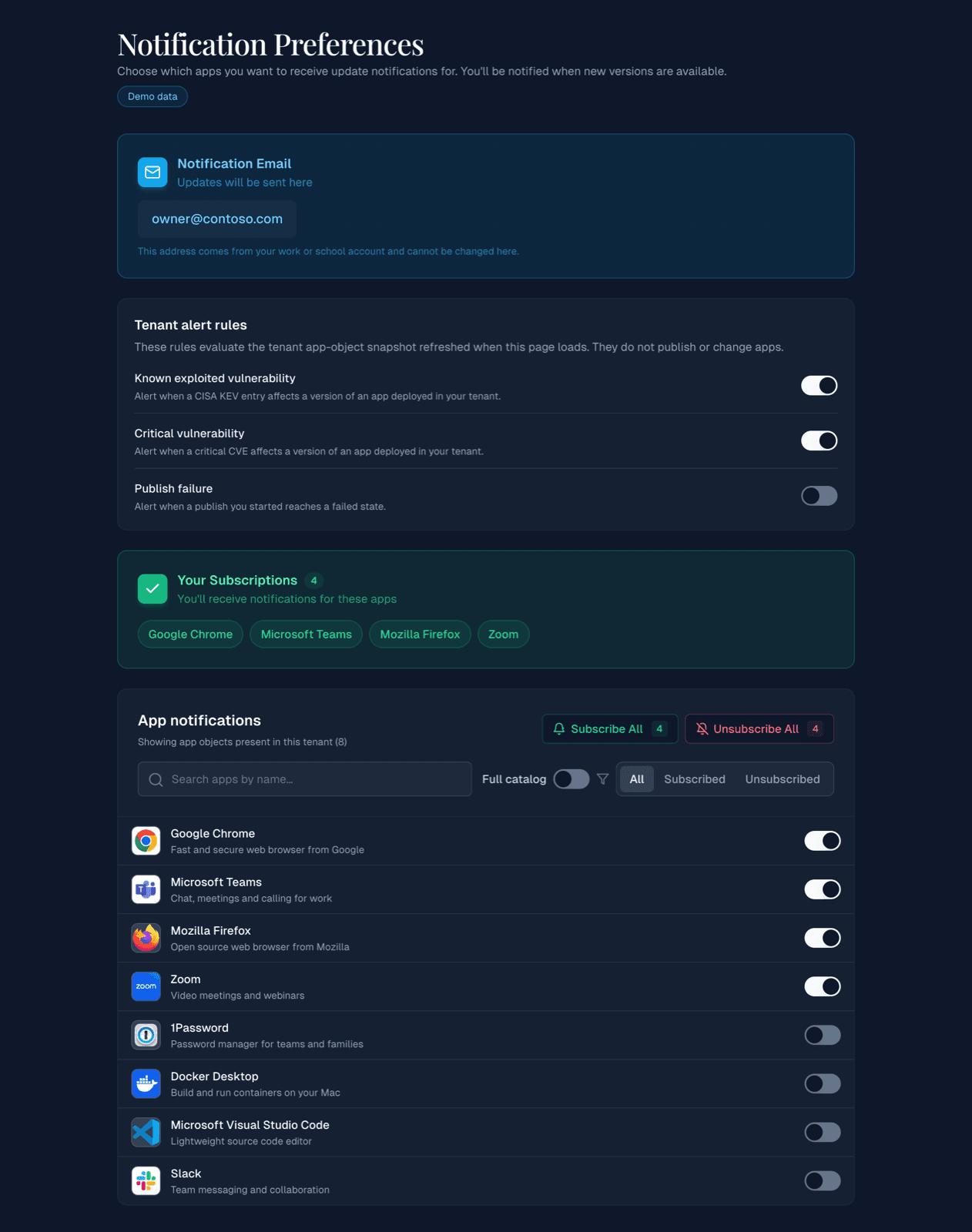
Tenant alert rules
All are off until you switch them on:
| Rule | You get an email when |
|---|---|
| Known exploited vulnerability | A CISA KEV entry affects a version of an app deployed in your tenant |
| Critical vulnerability | A critical CVE affects a version of an app deployed in your tenant |
| Publish failure | A publish you started fails, or finishes with assignments that need your attention |
New versions
Under App notifications, switch on the apps you want to hear about. The list starts with the apps in your tenant; switch on Full catalog to subscribe to any catalog app. Subscribe All and Unsubscribe All change every app in the current view.
Slack and webhooks
Open Integrations to send new-version notifications to Slack or to your own system.
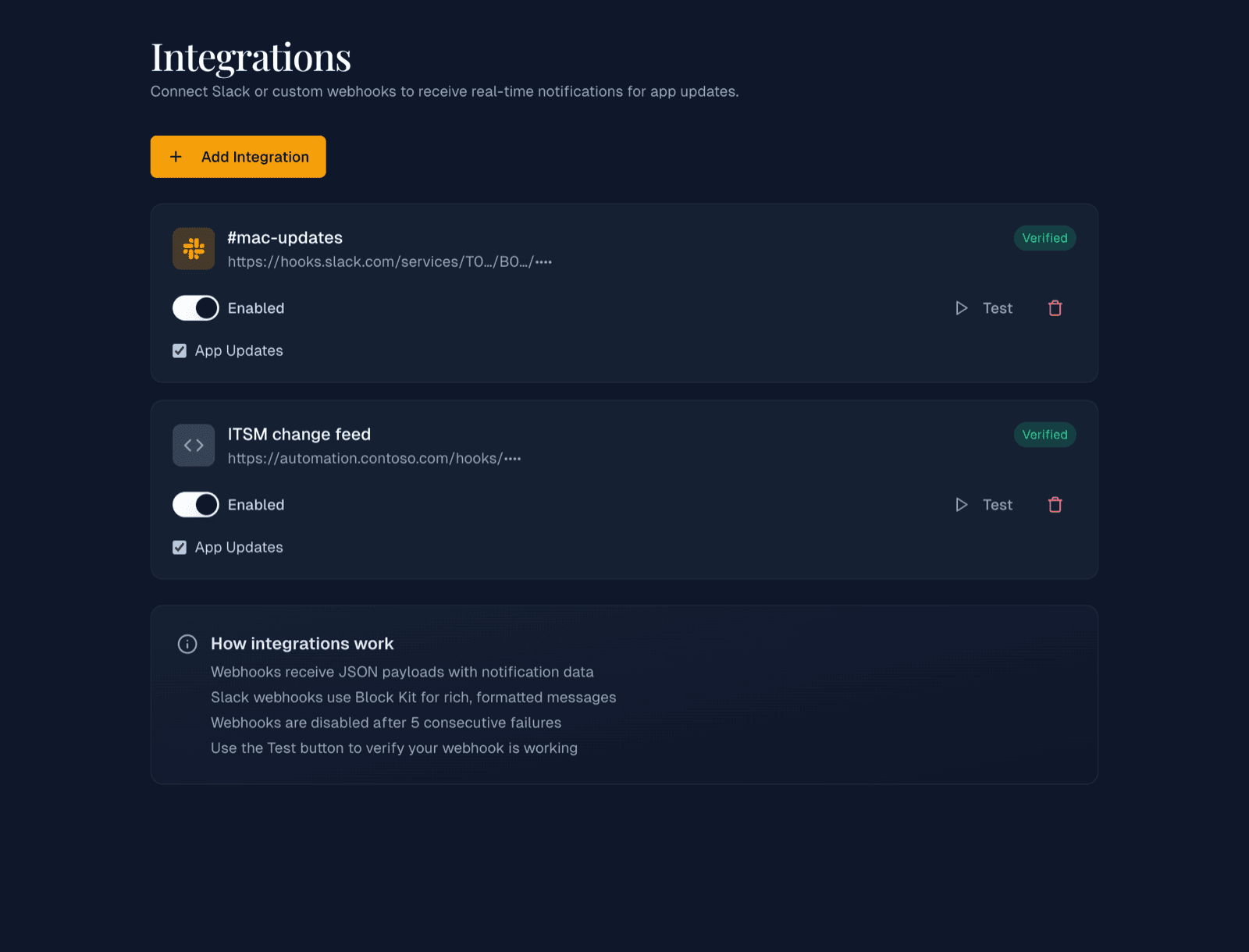
- Select Add Integration.
- Choose Slack — Incoming Webhook or Generic — Custom Webhook.
- Paste the Webhook URL. It must use
https://; Slack URLs start withhttps://hooks.slack.com/. - Optionally enter a Display Name, then save.
- Select Test to send a test message.
- Slack messages use formatted blocks; generic webhooks receive a JSON payload.
- You can add up to 5 integrations.
- An integration is switched off automatically after 5 failed deliveries in a row. Fix the endpoint and switch it on again.