 IntuneBrew
IntuneBrew documentation
Deploy and update macOS apps in Microsoft Intune from a catalog of more than 1,100 ready-to-upload apps.
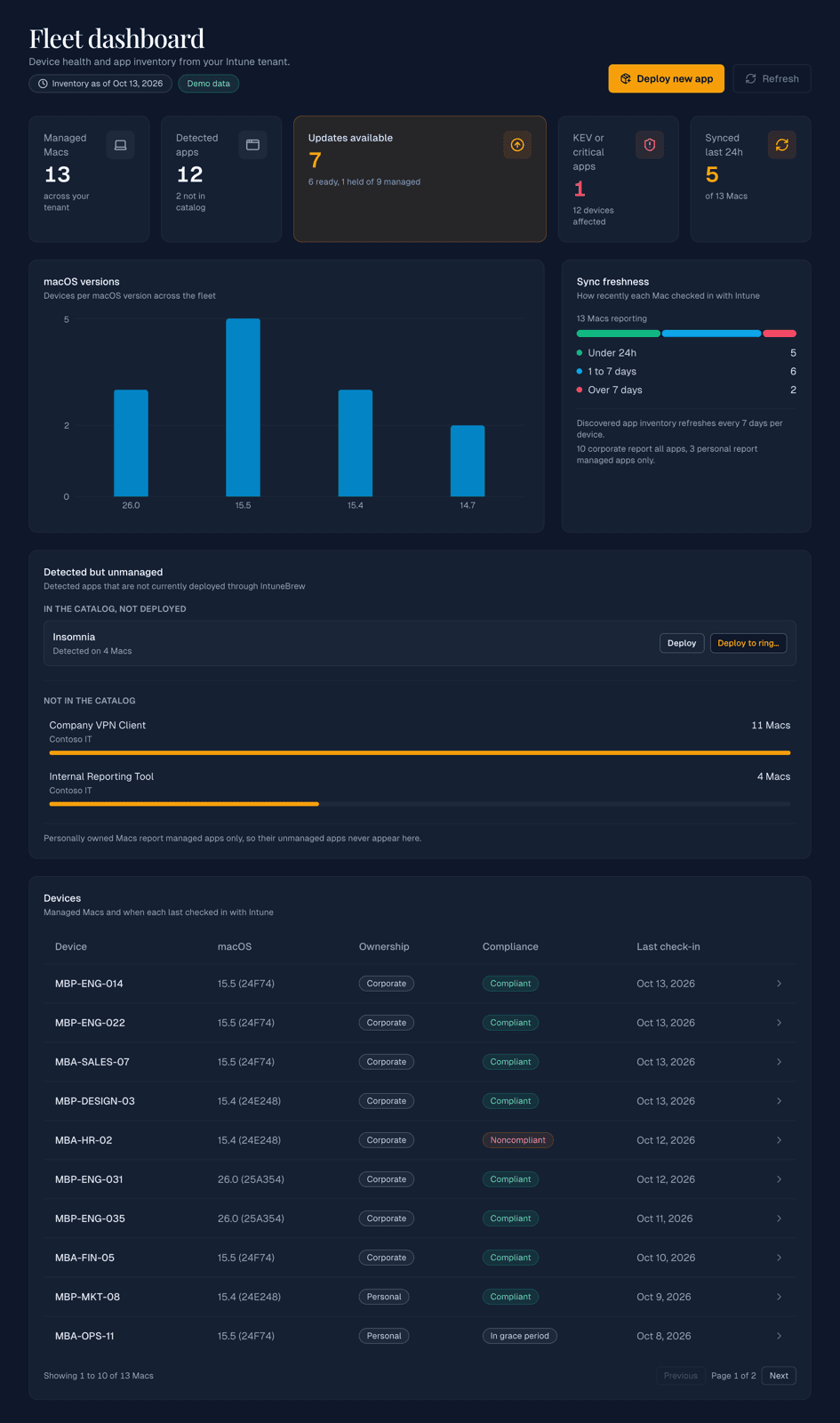
IntuneBrew packages macOS apps, uploads them to Microsoft Intune for you, and tells you when a newer version or a security fix is available. Every app comes from the same open catalog, and IntuneBrew writes to your tenant only when you start a deployment.
Two ways to use it
Web portal
Sign in with Microsoft at intunebrew.com. Nothing to install. Best for most teams.
PowerShell tool
Open-source script for automation, schedules, multiple tenants, and your own installers.
Both use the same catalog and create the same kind of Intune apps, so you can mix them.
Start here
Getting started
Sign in and find your way around the portal.
Deploy your first app
Upload an app to Intune and assign it.
Update apps
Publish new versions and keep assignments.
Troubleshooting
Fixes for sign-in and upload problems.
What IntuneBrew does
- Catalog: more than 1,100 macOS apps, checked daily for new versions. Installers are taken from the vendor or repackaged as PKG when needed. See App catalog.
- Deploy: upload any catalog app to Intune with its name, publisher, icon and detection settings filled in. See Deploy your first app.
- Update: see which of your Intune apps are outdated, review the change, and publish the new version, optionally moving group assignments and removing the old version. See Update apps and Carry over assignments.
- Stage rollouts: publish new versions to pilot groups first with update rings, and hold back brand-new versions for a few days.
- Security: see which apps on your Macs have known vulnerabilities, including actively exploited ones. See Vulnerabilities.
- Stay informed: email and Slack or webhook notifications for new versions, vulnerabilities and failed publishes. See Notifications.
- Work as a team: owners, administrators and viewers. See Team access.
Looking for background reading?
The Blog has articles about macOS app management in Intune in general, such as detection rules and packaging.